Move your Session Buddy backups to ContextBay in 60 seconds
Keep your folders as native Chrome Tab Groups, stop RAM spikes when restoring 80+ tabs, and stay 100% local with zero tracking.
Why power users switch to ContextBay
- Native Chrome Tab Groups: Restores real Chrome tab group titles, colors, and collapsed states.
- No RAM crashes on restore: Opens at most 3 inactive tabs in parallel and puts them to sleep natively via
chrome.tabs.discard(). - Always open in Chrome’s Side Panel: Switch workspaces without losing your place or managing an extra manager tab.
- Automatic pre-switch safety net: Every workspace switch snapshots your previous window into a 5-slot ring buffer first.
3-step migration from Session Buddy (v3 or v4)
- Export your JSON backup: In Session Buddy, open Settings / Export and download your sessions or collections as a JSON file.
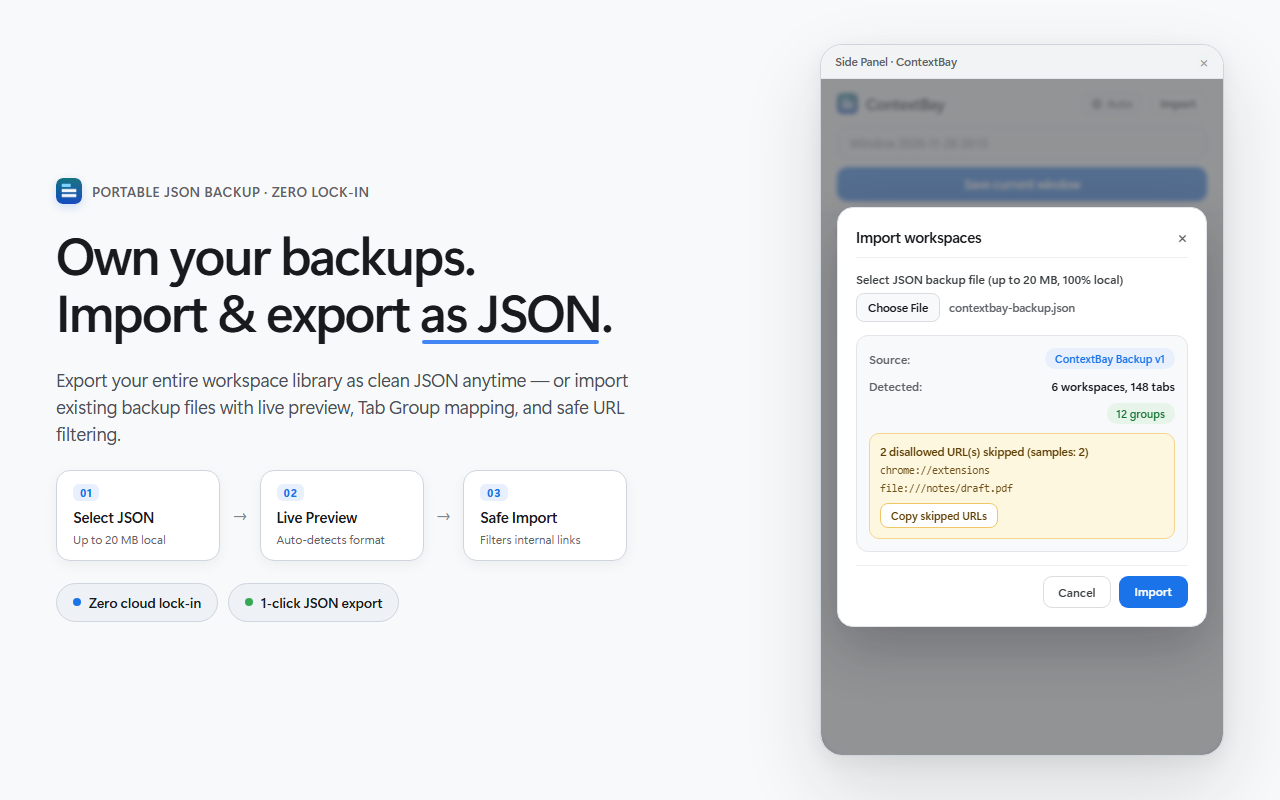
- Open ContextBay’s Side Panel & click “Import”: Select the exported JSON file (up to 20 MB / 5,000 tabs). ContextBay automatically detects Session Buddy v3 and Session Buddy v4 formats locally in your browser.
-
Review preview & confirm: Multi-window v3 sessions are split into
clean per-window workspaces, nested v4 folders flatten into native Chrome Tab Groups
(
Parent / Subfolder), and any non-web links (likefile://orchrome://) are transparently listed with a one-click copy button before you confirm.
100% local import: Your JSON file is parsed entirely inside your browser.
Nothing is ever uploaded to a server. ContextBay is an independent extension and is not
affiliated with Session Buddy.